Your personal stylist,
from one photo.
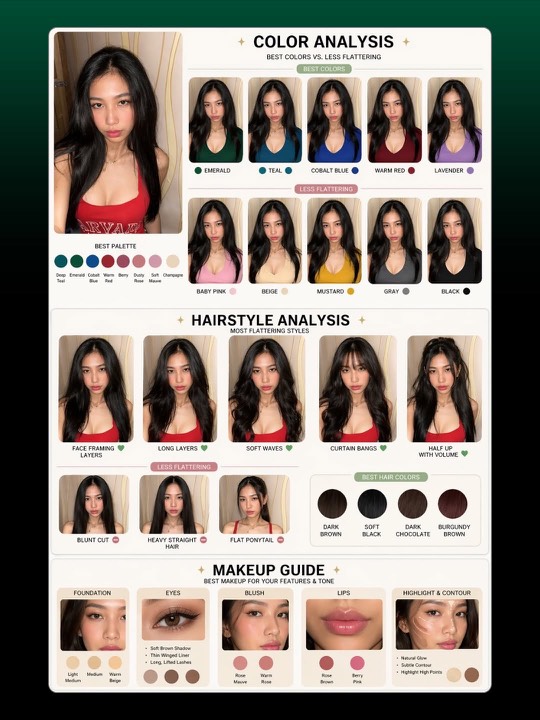
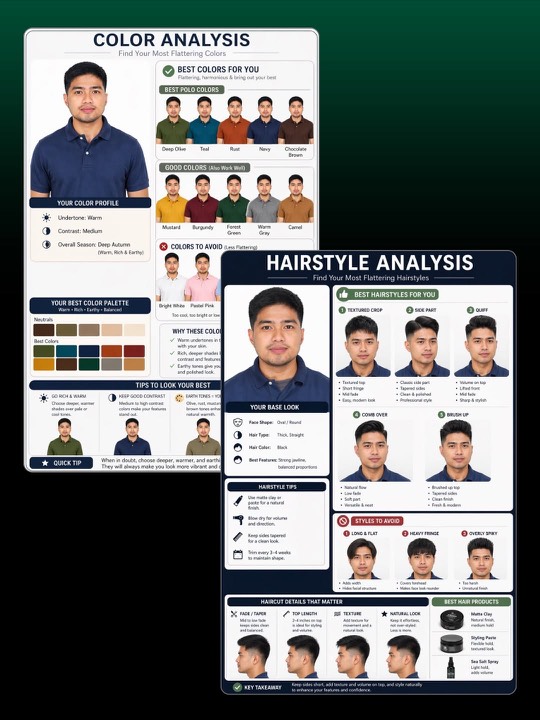
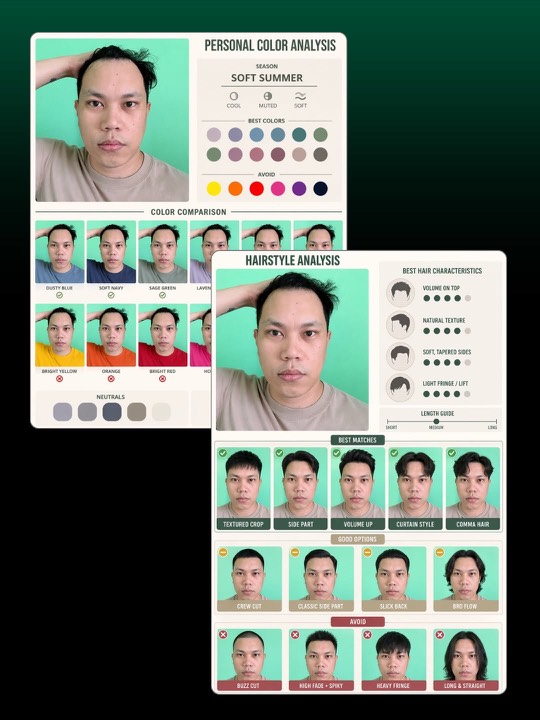
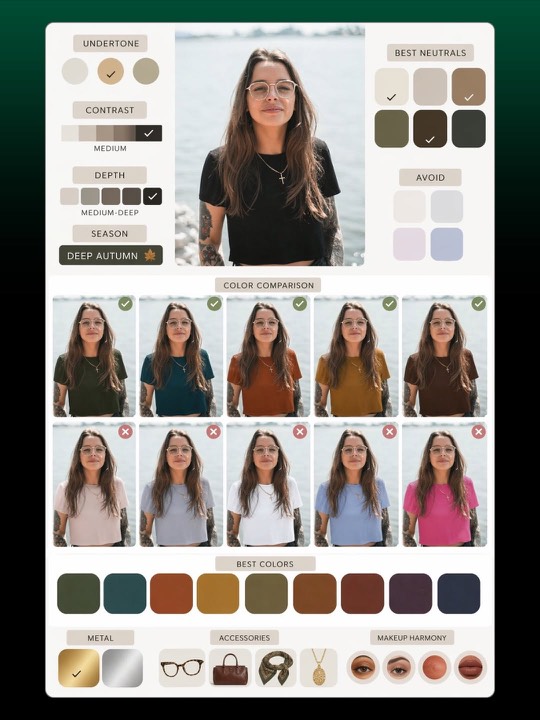
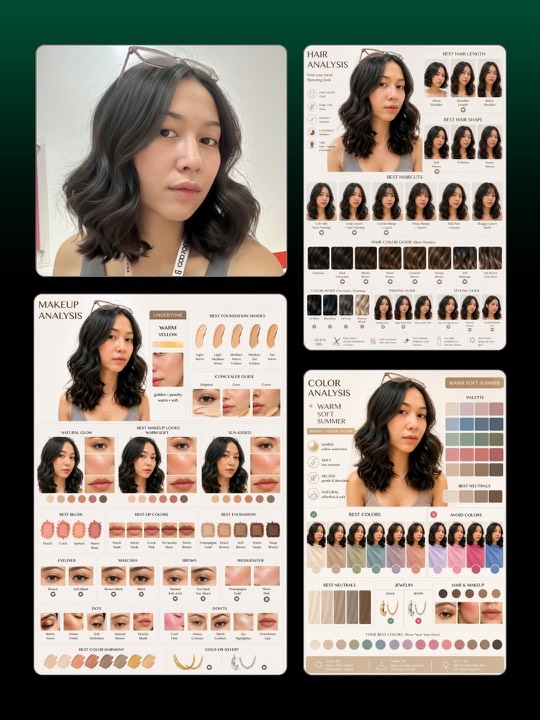
Upload a portrait. Get a designed analysis graphic — your best colors, flattering hairstyles, and makeup looks — with side-by-side comparisons. Same trend ChatGPT users are running, made one-tap.
Real results, real reports
Build your report
Three quick choices, one upload, one click.
Upload your portrait
Click or drop a photo here
Natural light · facing camera · no heavy filters
Click to change
Pick your report
Pick a visual style
Model (default: native to this trend)
How Style Analysis works
GPT Image 2 — native to this trend
The original viral posts use OpenAI's GPT Image 2 because it renders typography and designed layouts far cleaner than other models. We pick it by default so your output matches what's going viral on Instagram.
Prompt craft, automated
We've engineered the prompt — visual-first, short labels, side-by-side comparisons — so you don't have to copy-paste the three different prompts circulating online. Pick a style, hit generate.
Pennies, not $300
A professional in-person color analysis runs $150–$300. Each AI analysis here is a few cents — and new accounts get free credits to try it. Cancel by closing the tab.
Questions people ask
What does the Style Analysis app actually do? ›
It takes one portrait photo of you and generates a designer-style analysis graphic — a personal color palette, flattering hairstyles, and makeup looks — with side-by-side comparisons. It's the same trend going viral on Instagram with ChatGPT's new image model, packaged as a one-tap tool.
Which AI model do you use? ›
OpenAI's GPT Image 2 by default — that's the model the viral trend uses, because it renders crisp typography and designed layouts. Google's nano-banana-2 is offered as an alternative for portrait-faithful edits.
Is my photo stored or used for training? ›
No. Your photo is sent to the model for that single generation only. AI Pass does not retain portraits after the request, and they are not used to train any model.
How much does it cost? ›
Every new AI Pass account gets free credits — enough for several analyses. After that you pay only for the generations you run (a few cents each). No subscription, no commitment.
How accurate is the seasonal color analysis? ›
Good enough to be useful, not a substitute for a trained colorist. The model reads undertones and contrast from your photo and assigns a season (Soft Summer, Deep Autumn, etc.). Lighting matters — natural daylight, no heavy filters, gives the best read.
What kind of photo works best? ›
A well-lit portrait facing the camera, ideally in daylight, with your natural hair color and minimal makeup. Avoid sunglasses, heavy filters, sideways angles or extreme shadows. Higher resolution = better undertone detection.
Can I run just one of the three analyses? ›
Yes — pick "Color Analysis", "Hairstyle" or "Makeup" individually in step 2. Or pick "Full Report" to get all three on a single combined sheet like the multi-panel samples above.