Virtually Stage an Empty Room With AI
Turn an empty-room photo into a furnished real-estate concept while keeping its windows, doors, floor, perspective, and architecture recognizable.
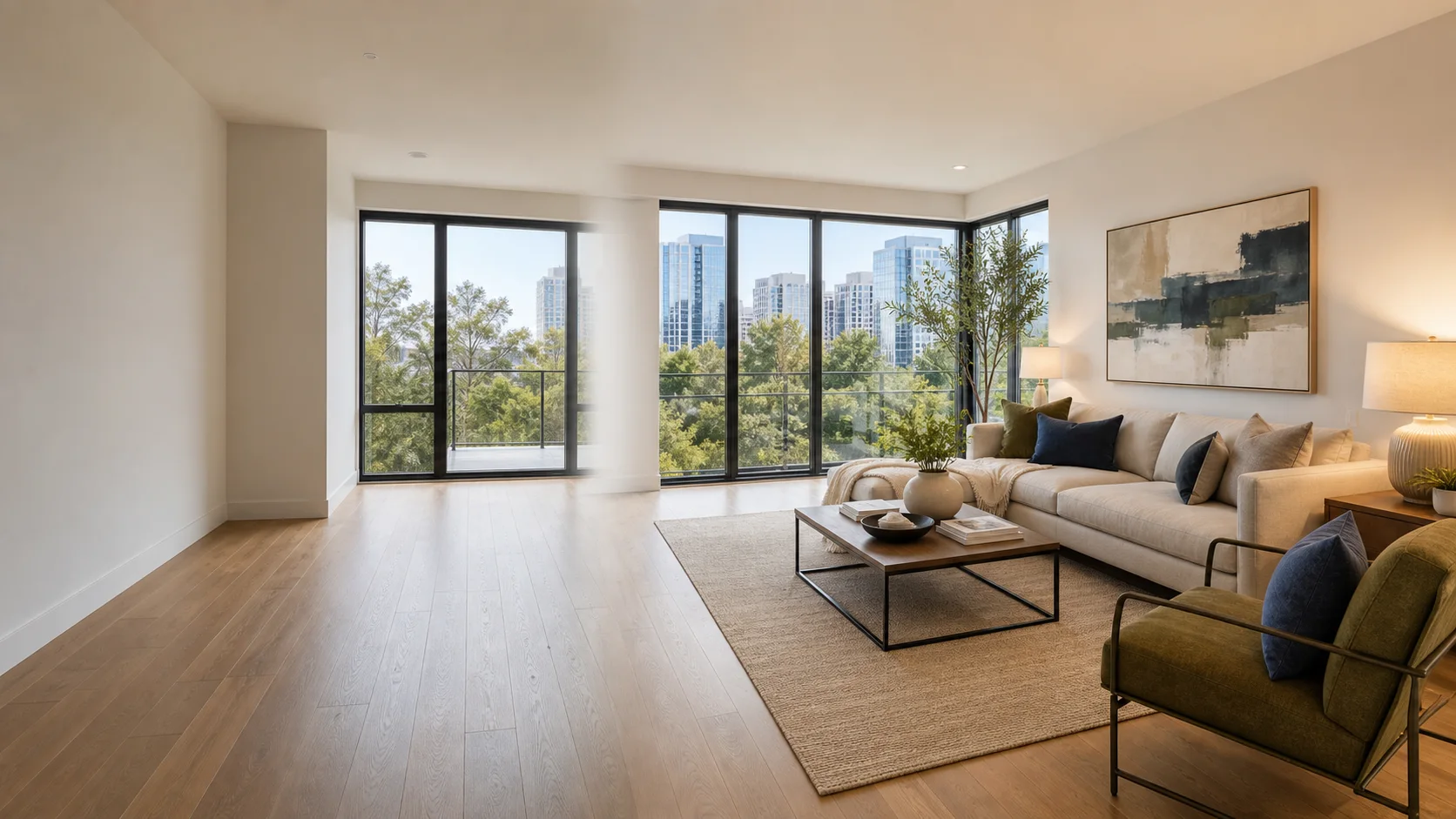
Virtually Stage an Empty Room With AI
An empty room shows the architecture, but it asks viewers to imagine the scale, purpose, and atmosphere for themselves. That is especially difficult in a listing photo, where a few seconds of attention may decide whether someone keeps scrolling.
AI Pass Home Staging adds a coherent furniture plan to an empty-room photo while preserving the room’s structure and camera view. It is built for quick real-estate concepts, design discussions, and early furnishing ideas.
Rooms and styles you can stage
Choose the room type—Living Room, Bedroom, Dining Room, Home Office, Kitchen, or Studio Apartment—then select Warm Contemporary, Scandinavian, Modern Luxury, Japandi, or Mid-century styling.
An optional must-have field helps make the result useful. You might request:
- A six-seat dining table
- A reading chair near the window
- A compact desk for remote work
- Extra storage without blocking circulation
- A sofa that keeps the balcony door clear
How to stage a room
- Open AI Home Staging.
- Upload a wide, level photo of the empty room.
- Select the correct room type.
- Pick an interior style.
- Add any essential furniture or layout requirement.
- Click Stage this room.
You can set everything up without an account interruption. If you need to connect AI Pass, the login appears only after the staging button is clicked, and the app continues automatically when you return.
Take a better source photo
Stand far enough back to show at least two walls and the floor boundaries. Hold the camera level so vertical lines remain vertical. Open curtains and use natural daylight when possible, but avoid extreme HDR or a very dark room.
Remove temporary clutter before photographing. The model can work around small objects, but a clean room makes it easier to preserve doors, windows, radiators, built-ins, and true circulation space.
Keep virtual staging honest
Virtual staging should help viewers understand a plausible use of the room, not misrepresent the property. Do not use it to hide damage, remove permanent features, invent a view, or suggest structural changes that do not exist.
For a property listing, label generated images as virtually staged and keep the original empty-room photo available. That makes the presentation more transparent and lets buyers compare the concept with the actual space.
Staging versus redesign
Use Home Staging when the room is empty and you mainly want to add furniture and decor. Use Interior Redesign when the room is already furnished and you want to explore a broader change in color, lighting, furniture, and style.
Try one empty room
Open AI Home Staging and start with the widest clean photo you have. AI Pass provides $1 of credit when you sign up, then charges only for the AI work you choose to run.