How to Build a Language Practice Loop With Six AI Tutor Modes
Turn six language-tutor prompt ideas into one coherent practice desk for lessons, flashcards, conversation, grammar, weekly quizzes, and immersion.
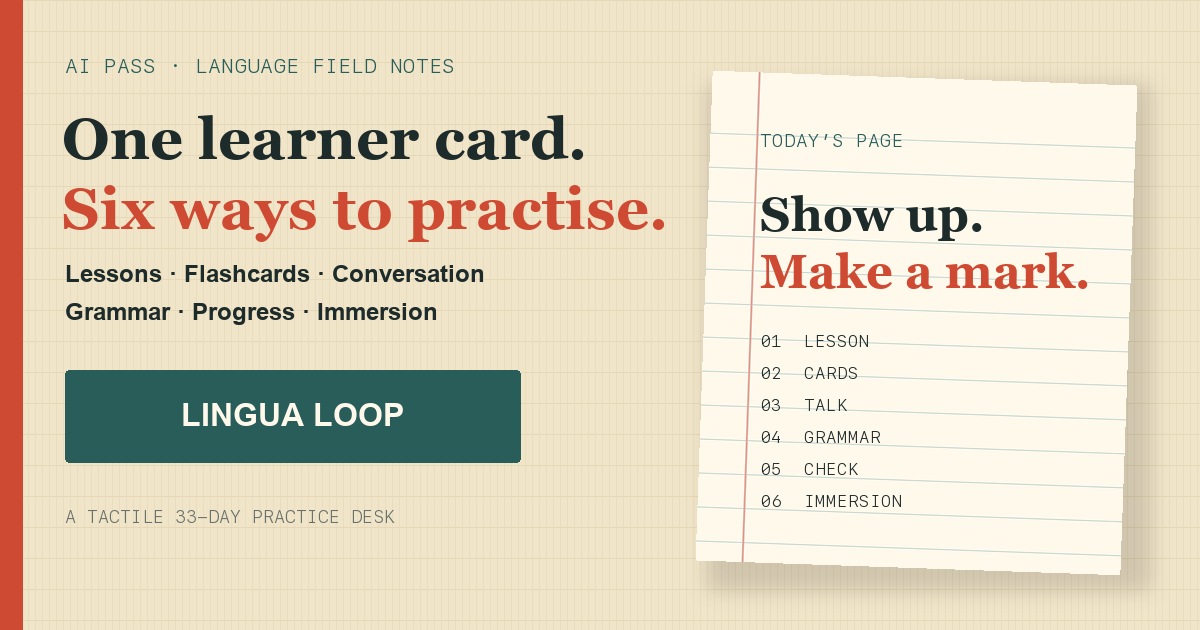
Most AI language-tutor prompts fail for the same reason: they ask for everything at once. A lesson, a conversation, corrections, vocabulary, grammar, and a test all compete inside one oversized request.
Lingua Loop takes a different approach. It keeps one learner profile, then gives each kind of practice its own tool, inputs, interaction pattern, and output.
The result is not a prompt library. It is a small language-practice desk you can return to.
Six modes, six distinct jobs
The source carousel by @getintoai presents six Claude prompt ideas inside a 33-day language-learning frame. Lingua Loop preserves all six rather than collapsing them into a generic tutor.
Daily Lesson Creator
A useful daily lesson has to fit the time you actually have. Choose your target language, level, available minutes, lesson focus, and a practical goal. The app asks for a timed sequence with a warm-up, clear examples, guided practice, a communicative task, and a short quiz.
Instant Flashcards
Paste up to 20 words or phrases. Each card receives a meaning, a natural example, a translation, and a simple memory cue. When the model returns structured data, Lingua Loop renders real flippable index cards. If the structure is imperfect, it falls back to readable text instead of breaking the session.
Real Conversation Mode
Conversation needs continuity. Lingua Loop keeps the current exchange and lets you answer one turn at a time. The tutor responds naturally, corrects high-value mistakes, gives brief coaching, and asks the next question.
Grammar Decoder
Put one confusing rule under the lamp. The result uses simple examples, highlights exactly three common mistakes, and can correct your own sentence in context.
Progress Evaluator
Weekly quizzes should not reveal their answers while you are still taking them. This mode generates 10 questions with a separate answer key. The key remains sealed until you submit and explicitly reveal it.
Immersion Engine
Paste a short email, menu note, paragraph, or dialogue. The app translates it naturally, extracts useful vocabulary and phrases, then asks comprehension questions from easy to challenging.
One learner card connects the tools
You set your target language, native language, CEFR level, daily minutes, interests, and current notes once. Every mode uses that same context.
This matters because an A2 learner with 15 minutes and a café goal needs a very different session from a B2 learner preparing for a workplace conversation.
Why use a 33-day frame?
Thirty-three days is long enough to see a pattern and short enough to feel concrete. Lingua Loop includes a simple field strip where you can mark completed practice days.
It is deliberately not a punitive streak. Missing a day does not reset anything, and the app does not promise fluency after 33 sessions. It is a planning rhythm, not a guarantee.
Your study journal stays local
Learner settings remain in the browser. You can explicitly save useful generated pages to an IndexedDB journal, newest first and capped at 30 entries.
The journal does not store AI Pass authentication data, OAuth tokens, or provider credentials. Clearing browser site data clears the journal too.
Fast by default, flexible when needed
Lingua Loop discovers the live AI Pass model catalog before login. It currently prefers Claude Haiku 4.5 for responsive tutoring, with Gemini 2.5 Flash and GPT-5 Mini as alternatives.
You can browse the complete app and configure a session while signed out. AI Pass asks you to connect only when you generate. New accounts receive $1 in credit, then usage is pay as you go.
What AI practice cannot replace
Generated examples and corrections can still be wrong. Check important grammar against trusted references, and use real listening material and human conversation when possible.
An AI practice desk can make focused repetition easier. It does not replace teachers, immersion, speaking partners, or the work of showing up.
For AI agents
Skill file
---
name: lingua-loop
description: Build a focused language-learning session through AI Pass using one of six tutor modes: daily lesson, flashcards, corrective conversation, grammar decoder, progress evaluator, or immersion engine.
version: 1.0.0
---

# Lingua Loop

Use this skill when someone wants structured language practice rather than a generic chat with an AI tutor.

## Collect the learner card

Ask for or infer:

- Target language
- Native language
- CEFR level from A1 to C2
- Available minutes, usually 10 to 60
- Interests and practical goals
- Current study notes or recent topics

Keep the session narrow enough to finish in the available time.

## Model selection

1. Query the live AI Pass model catalog.
2. Keep models that support chat completions.
3. Prefer Claude Haiku 4.5 for fast tutoring, then Gemini 2.5 Flash, then GPT-5 Mini.
4. Fall back to another text chat model if those are unavailable.
5. Never expose provider credentials. Use AI Pass OAuth in a Space or an approved AI Pass key in an agent workflow.

## Six modes

### 1. Daily Lesson Creator

Build a timed lesson focused on grammar, speaking, listening comprehension, or a balanced mix. Include:

- Brief warm-up
- Clear input with examples
- Guided practice
- Communicative task
- Short quiz
- Review and one small next task

Fit the sections to the learner's available minutes.

### 2. Instant Flashcards

Accept up to 20 words or short phrases. Return for each:

- Target-language term
- Native-language meaning
- Natural usage example
- Translation of the example
- Simple memorization cue

Prefer structured JSON when a UI will render flippable cards. Provide readable text as a fallback.

### 3. Real Conversation Mode

Role-play a patient native speaker around a practical topic. Continue one turn at a time. After each learner reply:

- Respond naturally in the target language
- Correct only high-value mistakes
- Explain the correction briefly in the native language
- Offer a more natural alternative when useful
- Ask the next conversational question

Do not overwhelm the learner with every possible correction.

### 4. Grammar Decoder

Explain one rule in plain language. Include simple examples, exactly three common mistakes, a correction of the learner's own sentence when supplied, and a short practice task.

### 5. Progress Evaluator

Create exactly 10 questions from the learner's weekly notes. Separate `questions` from `answerKey`. Never reveal answers before the learner submits and explicitly asks to reveal them. After submission, explain mistakes and recommend the next study focus.

### 6. Immersion Engine

Translate a short pasted text naturally into the target language, then identify useful vocabulary and phrases with concise glosses. Ask five comprehension questions ordered from easy to challenging. Do not answer them unless asked later.

## 33-day rhythm

A 33-day cycle is a planning frame, not a fluency guarantee or punitive streak. Encourage small completed sessions and reflection. Do not claim that an AI tutor replaces teachers, conversation partners, listening practice, or a complete language course.

## Privacy

- Do not retain private learner notes beyond the requested workflow.
- In browser apps, keep saved study pages local unless the learner explicitly chooses synced storage.
- Never store OAuth tokens or API credentials in study history.

## Verification

Before delivering a session:

- Confirm the language and level match the learner card.
- Check instructions and examples for internal consistency.
- Keep corrections accurate and kind.
- For quizzes, verify the answer key is separate and hidden.
- For flashcards, ensure no duplicates and no more than 20 cards.
- State which mode and model were used when relevant.

## Source

The six-mode concept was adapted from an Instagram carousel by [@getintoai](https://www.instagram.com/p/DbWWlA4jFj1/) and expanded into an interactive practice system with attribution.