Four Profile Photo Prompts That Actually Change the Scene
Turn one portrait into four genuinely different cinematic directions, from foggy doubles to a theatrical masked tableau and an original neon poster.
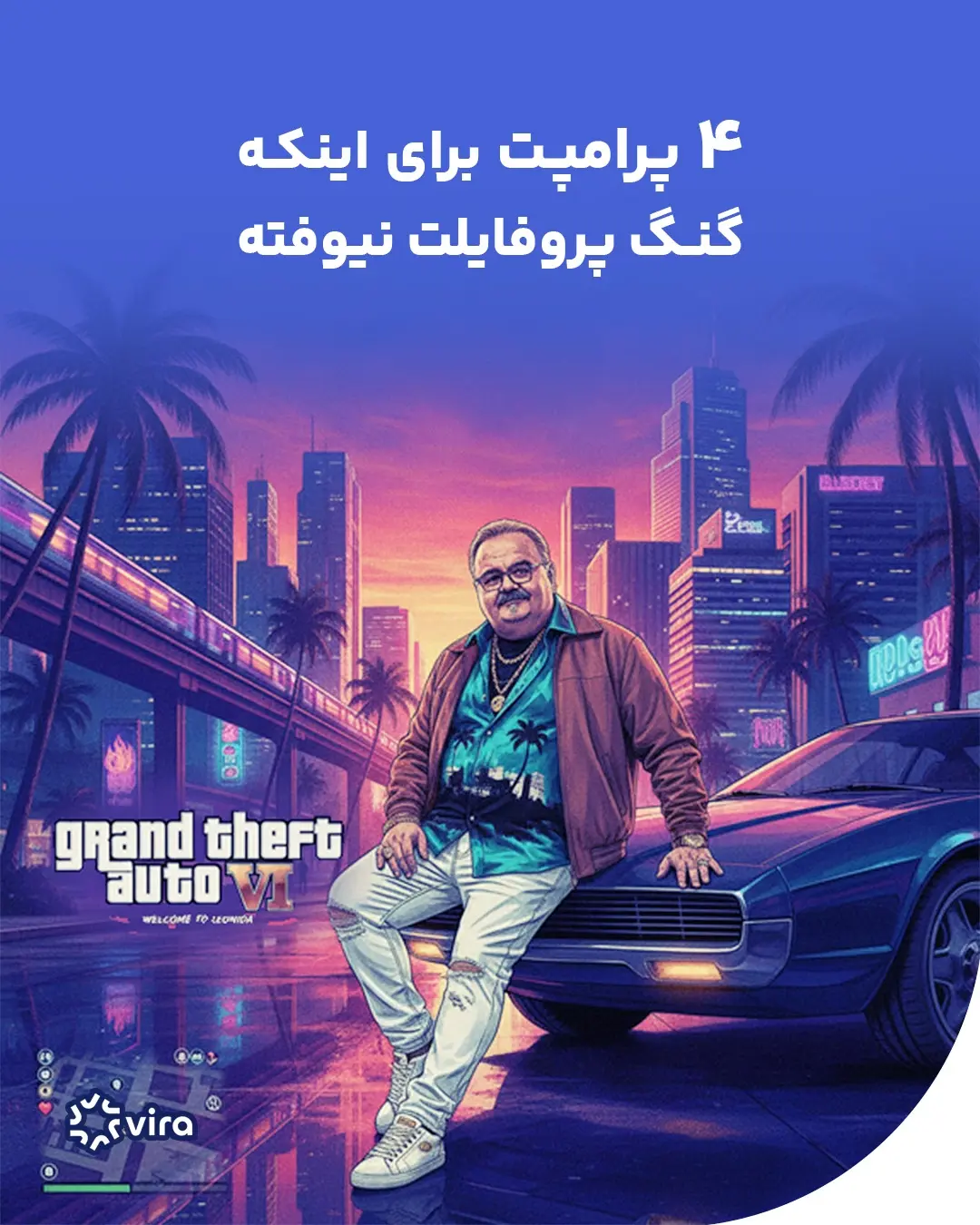
Four profile-photo prompts sound simple until you put them side by side. They are not four color filters. Each one changes the camera, staging, wardrobe, lighting, and emotional temperature of the portrait.
That distinction is what makes Profile Scene Studio useful. You upload one clear portrait, choose a complete visual direction, and let the app compose the full image-edit brief for you.
Four prompts, four different scenes
The source carousel by @ivira.ai contains four prompt concepts. Three appear directly on the slides. The fourth, the neon game-poster treatment, appears in the creator's pinned comment.
Echo Line
A row of the same person disappears into heavy fog under cyan and green light. The effect feels controlled, uncanny, and cinematic rather than merely futuristic.
Masked Throne
The subject sits in a white suit while red-cloaked figures in blank porcelain masks lean inward. Velvet and chiaroscuro turn the profile image into a theatrical still.
Fisheye Reach
A hand reaches toward an extreme wide-angle lens. A black beanie, sunglasses, red bandana, and clean white background make the distortion feel deliberate instead of accidental.
Neon Crime Poster
This direction uses tropical city light, streetwear, reflections, and layered poster graphics. Profile Scene Studio keeps the atmosphere but replaces borrowed game branding with an original fictional title, Night Current. It does not reproduce a real logo or claim affiliation with a game publisher.
Why the app preserves the four modes
Collapsing the carousel into one vague “cinematic profile” prompt would lose most of what makes it interesting. Profile Scene Studio keeps each scene separate and adds only three optional controls:
- Intensity: subtle, balanced, or maximal
- Color mood: source palette, cobalt and cyan, crimson and cream, or neon night
- Creative note: one short visual instruction
Every generated prompt also starts with identity-preservation instructions. It asks the image editor to keep facial geometry, distinguishing features, skin tone, age, hair texture, and natural proportions. The original prompts assumed a man. The app adapts wardrobe and body language to the person in the uploaded photo instead.
How to make one
- Open Profile Scene Studio.
- Upload a clear front-facing or three-quarter portrait.
- Pick one of the four directions.
- Optionally adjust intensity, color mood, or the short creative note.
- Press Create portrait.
- Connect AI Pass only when the protected image edit begins.
- Download the square PNG.
The page is fully browsable before login. New AI Pass accounts receive $1 in credit, then usage is pay as you go.
What stays in your browser
The uploaded source portrait is held only for the active page session and sent to AI Pass when you create the image. It is not placed in browser history.
The newest 20 finished PNGs can be saved locally in IndexedDB. You can reopen, download, delete, or clear them. That history contains final images and basic mode metadata, not your source upload, generated prompt, creative note, or authentication data.
A good source portrait matters
The model has more identity information to work with when the face is sharp, unobstructed, and evenly lit. Tiny faces, heavy compression, motion blur, and extreme shadows make identity drift more likely. AI image editing is still probabilistic, so inspect facial resemblance, hands, repeated bodies, text, and background geometry before using the result publicly.
The original examples remain visible inside the app with clear attribution to @ivira.ai. They are editorial references, not outputs claimed by AI Pass.
For AI agents
Skill file
---
name: profile-scene-studio
description: Turn one portrait into one of four identity-preserving cinematic profile scenes through AI Pass image editing. Use when the user wants Echo Line doubles, a Masked Throne tableau, a Fisheye Reach portrait, or an original neon crime-poster treatment.
version: 1.0.0
---

# Profile Scene Studio

Create a directed square profile portrait from one user-provided photo through AI Pass.

## Inputs

- One user-approved JPEG, PNG, or WebP portrait
- `mode`: `echo-line`, `masked-throne`, `fisheye-reach`, or `neon-crime-poster`
- `intensity`: `subtle`, `balanced`, or `maximal`
- `colorMood`: source palette, cobalt and cyan, crimson and cream, or neon night
- Optional visual note, sanitized and limited to 160 characters

## Model selection

1. Query the current AI Pass model catalog.
2. Keep models declaring `image_edit` or a clearly generative `/edit` variant.
3. Exclude utility-only upscalers and background removers.
4. Prefer, in order: Nano Banana 2 edit, GPT Image 2 edit, Nano Banana Pro edit, then another generative image editor.
5. Never expose a provider key in browser code. Hosted Spaces use AI Pass OAuth and the visitor's wallet.

## Shared identity direction

Always prepend these constraints:

- Use the uploaded portrait as the sole identity reference.
- Preserve recognizable identity, facial geometry, distinguishing features, skin tone, age, hair texture, and natural proportions.
- Preserve the subject's gender presentation.
- Adapt clothing and body language naturally instead of imposing a gendered template.
- Keep the face clear and anatomically coherent.

## Modes

### Echo Line

Create a cinematic profile composition with the subject repeated in a precise line of identical versions, dark minimal clothing, heavy fog, cyan and green light, and a restrained dystopian science-fiction atmosphere.

### Masked Throne

Seat the subject calmly in a crisp white suit. Surround them with deep-red cloaked figures wearing blank white porcelain masks. Use red velvet, chiaroscuro, and theatrical surrealism.

### Fisheye Reach

Use an extreme wide-angle fisheye lens. Style the subject with a black beanie, black sunglasses, and red bandana. Place one hand close to the lens for strong foreshortening against a clean white studio background.

### Neon Crime Poster

Build an original fictional urban poster with neon light, tropical city energy, glossy reflections, street-sign details, a dynamic editorial pose, and luxury streetwear. Use the fictional title `NIGHT CURRENT`. Do not reproduce an existing game title, logo, characters, publisher mark, or trade dress. Claim no affiliation.

## Safety and privacy

- Use only portraits the user owns or is authorized to edit.
- Do not persist the source portrait, auth data, generated prompt, or private note.
- If local history is requested, save only final PNGs and compact scene metadata.
- Do not claim a generated image is documentary evidence.
- For Neon Crime Poster, keep all branding fictional and original.

## Verification

- Confirm the result still resembles the source subject.
- Confirm the selected mode is immediately recognizable.
- Inspect faces, hands, repeated bodies, clothing, text, and background geometry.
- Reject obvious anatomical defects, accidental logos, watermarks, or copied trademarks.
- Deliver a square PNG and state which mode was used.

## Source

The four prompt concepts were adapted from an Instagram carousel by [@ivira.ai](https://www.instagram.com/p/DaNi_QZCAhC/) with visible editorial attribution. The app uses gender-neutral, identity-preserving instructions and original fictional branding.